
To use IPTV Smarters Pro on a Samsung Smart TV, you’ll need an external streaming device since the app isn’t supported on Tizen OS. The most convenient option is connecting an Amazon Fire TV Stick, which allows you to download the app directly from the Amazon Appstore, sign in with your IPTV subscription, and enjoy live TV, video-on-demand, and the EPG features.
Other alternatives include using an Android TV box, Chromecast, or screen mirroring from your smartphone. If you run into issues, common fixes like updating your TV’s firmware, clearing cache, or adjusting DNS settings usually resolve the problem.
You can’t directly install IPTV Smarters on Samsung Smart TVs since Tizen OS restricts third-party APK installations on models released from 2015 onward. The Samsung App Store also doesn’t offer IPTV Smarters, and sideloading isn’t supported without root access.
To access your IPTV subscription, you’ll need an external device like an Amazon Fire Stick or Android TV Box connected via HDMI. You can also use Samsung-friendly options such as Smart IPTV from the Smart Hub. Another alternative is screen mirroring from your smartphone, though each method comes with its own setup process.
Method 1: Amazon Fire TV Stick (recommended)
This remains the easiest and most dependable solution. Plug the Fire Stick into your TV’s HDMI port, connect it to your Wi-Fi, and sign in with your Amazon account.
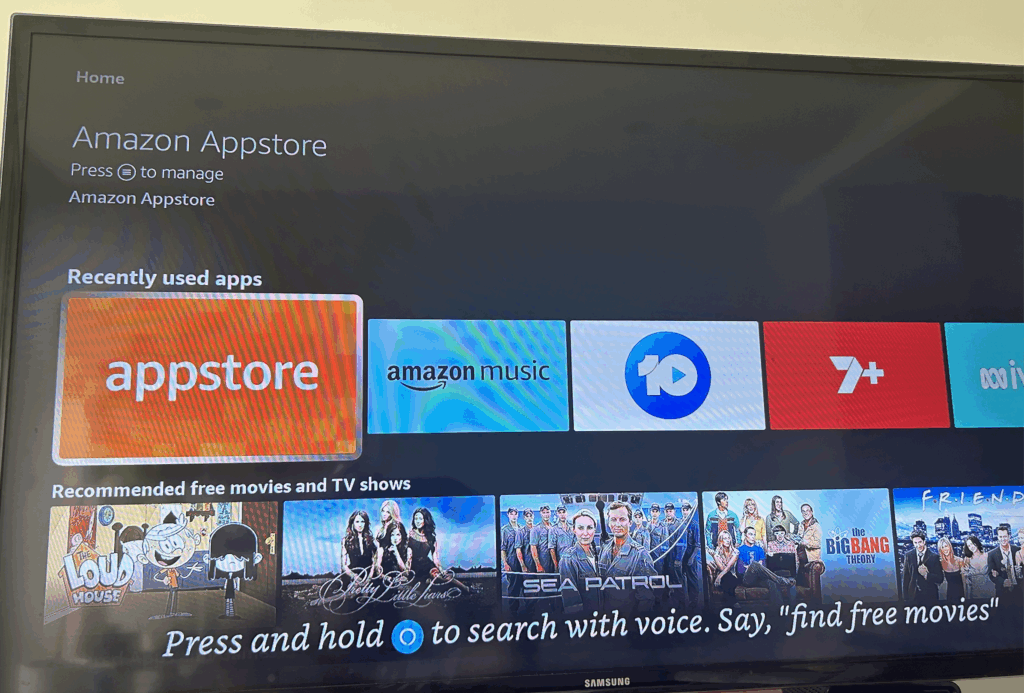
Go to the Amazon Appstore and look up IPTV Smarters Pro in the search bar.
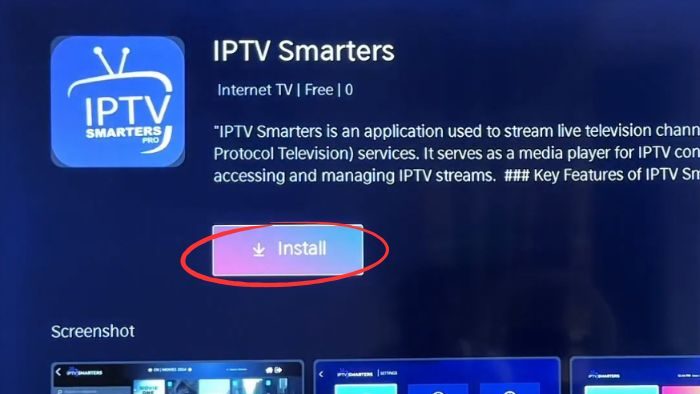
Select “Get” or “Install” to download the app.
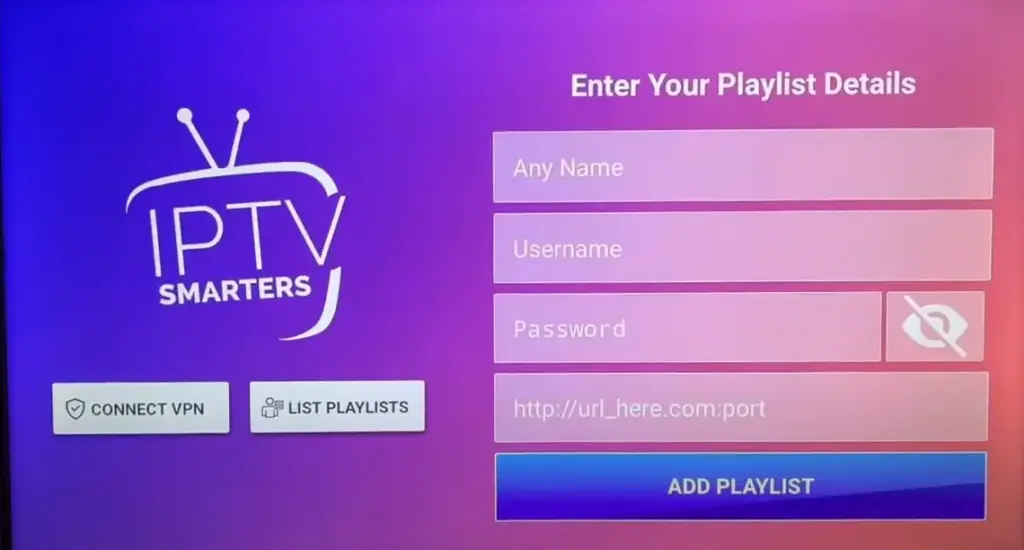
When the application launches, simply enter your portal URL along with your IPTV login credentials to start accessing your content.
TV guide (EPG) with a clear channel listing
Live TV and on demand movies and series
Multi screen and catch up (time shift) on supported channels
With an Android TV box (Nvidia Shield, Xiaomi Mi Box and similar):
Connect the box to your TV with an HDMI cable.
Connect it to your home Wi-Fi.
Download IPTV Smarters Pro from the Google Play Store.
Open the app and sign in with your IPTV subscription details.
With a Chromecast (Google TV or standard):
Install IPTV Smarters Pro on your Android phone or iPhone.
Make sure your phone and Chromecast are on the same Wi-Fi network.
Open the app, tap the Cast icon and select your Samsung TV.
If you would rather not buy an extra device:
Install IPTV Smarters Pro on your Android phone or iPhone.
Connect your phone and Samsung TV to the same Wi-Fi network.
Turn on screen mirroring:
Android: Smart View or SmartThings
iPhone: AirPlay
Select your Samsung TV and open IPTV Smarters Pro to start watching.
Update your TV firmware to the latest version.
Clear the cache in Settings > Support > Device Care > Storage Management.
Check your internet connection and, if needed, switch to a faster DNS (8.8.8.8 or 1.1.1.1).
Reset the Smart Hub if streams keep stopping.
If nothing works, use an external device (Fire TV Stick, Android TV box or Chromecast).
Is IPTV Smarters free or does it need a subscription?
The IPTV Smarters app is free to download, but you need a paid IPTV subscription to watch anything. The app is only a player: the channels come from your IPTV service.
Will using IPTV Smarters void my Samsung TV warranty?
No. Your hardware warranty stays valid, but Samsung will not help with problems caused by apps from outside its store.
What internet speed do I need for IPTV?
At least 10 Mbps for HD and 25 Mbps for 4K. If several people watch at once, add 5 to 10 Mbps per extra stream to avoid buffering.
Is IPTV Smarters legal to use?
The app itself is legal. What matters is the content you watch, so check the rules in your country before you subscribe to any IPTV service.
Can I add more than one subscription to the app?
Yes. IPTV Smarters lets you add several playlists, using M3U links or Xtream Codes. Add each one separately in the app’s user list.